Blue Team Labs Online - Blocker
Security Operations
Tags: Sysmon Event Viewer OSINT BTL1
Scenario Learn more about Sysmon 14's File Block Executable functionality to prevent files being written to disk!
Reading Material: https://medium.com/@olafhartong/sysmon-14-0-fileblockexecutable-13d7ba3dff3e
Investigation Submission
Q1) In Sysmon 14, we can now use Sysmon configuration files to take preventative actions using the new feature, FileBlockExecutable. This allows us to prevent files from being written to specific locations! Open Event Viewer as an administrator (select the BTLO user if you receive a popup), and navigate to Microsoft > Windows > Sysmon > Operational. Filter on Event ID 27 to only see File Block Executable events. What is the timestamp of the first observed 27 event?
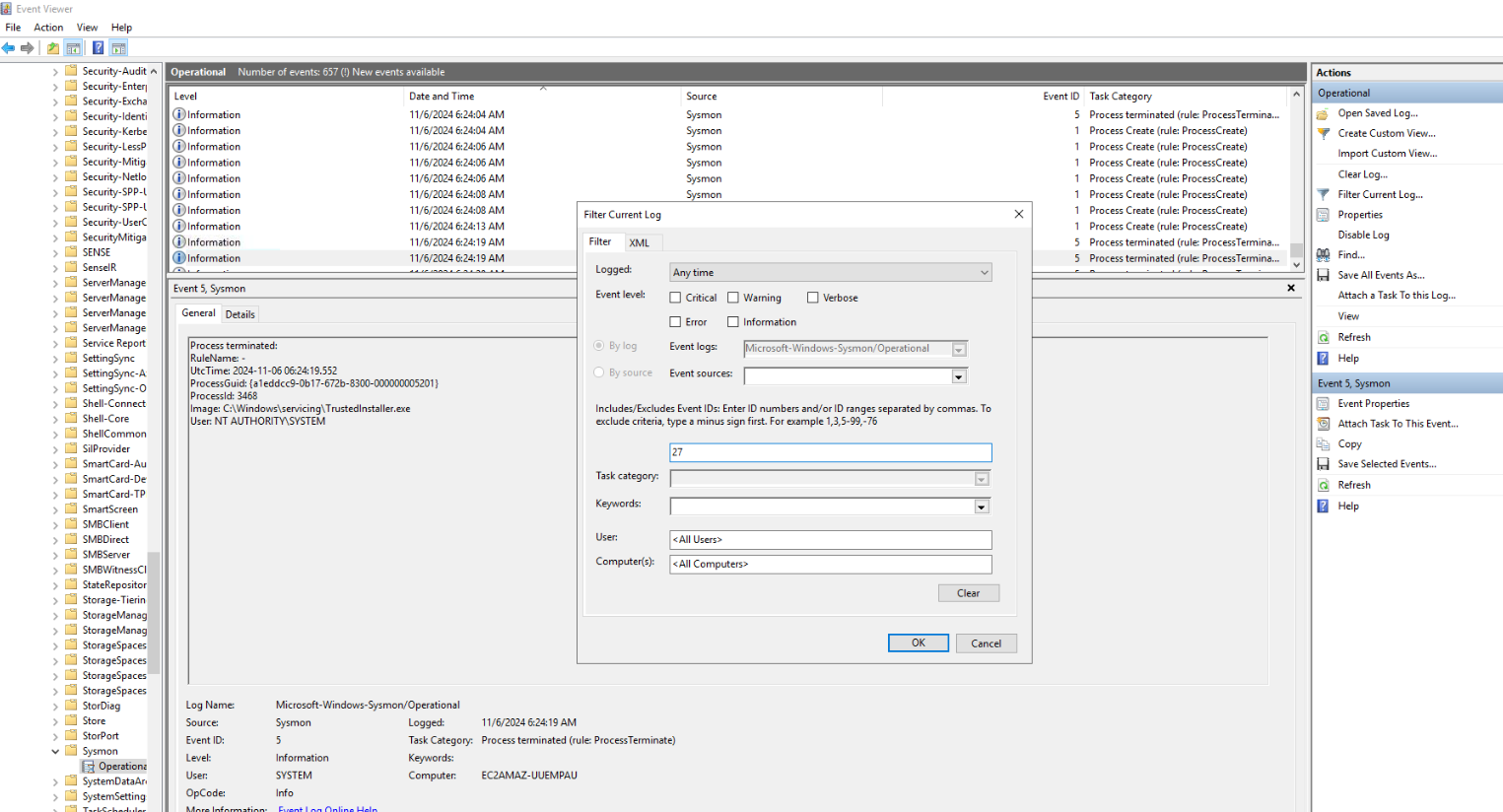
After deployed investigation machine, open Event Viewer and find Sysmon log then filter Event ID 27 like this.
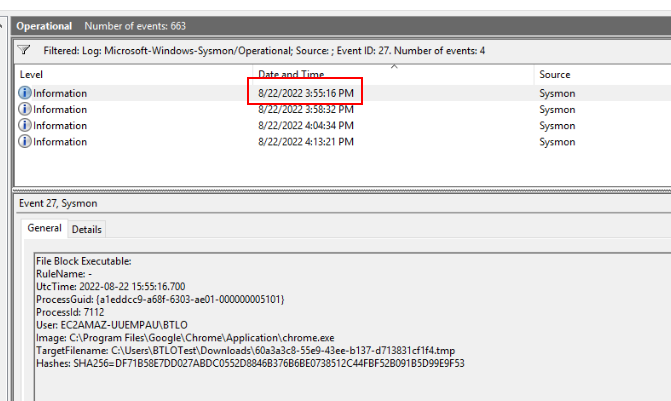
We only have 4 events for Event ID 27 and the first event is right here.
Answer
8/22/2022 3:55:16 PMQ2) In the first 27 event, what is the Image that initiated the file download?
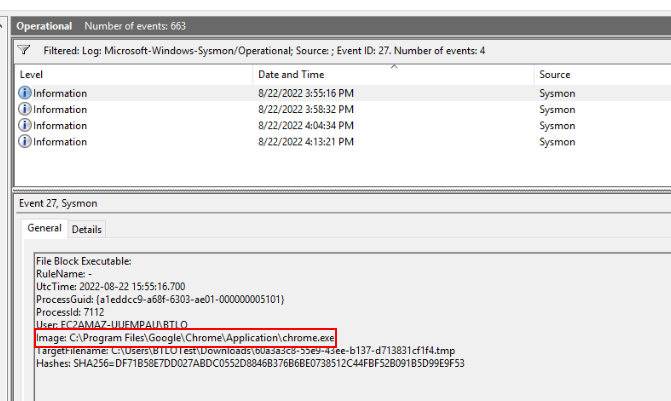
We can see that on this first event, a file was downloaded with Google Chrome.
Answer
C:\Program Files\Google\Chrome\Application\chrome.exeQ3) In the first 27 event, retrieve the SHA256 hash of the file that was blocked and search for it on URLHaus. Based on the tags, what is the name of this malware?
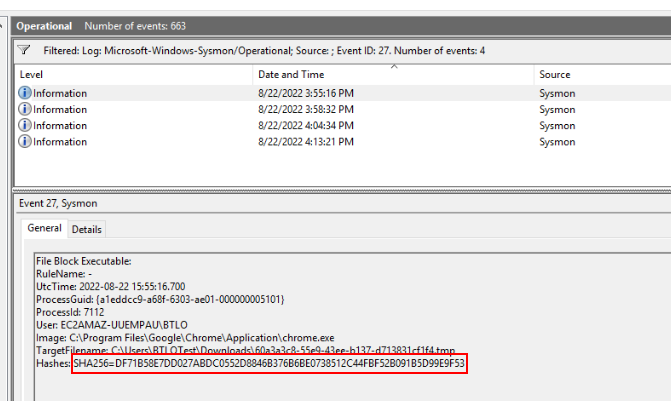
Here is SHA256 hash of downloaded file that was blocked
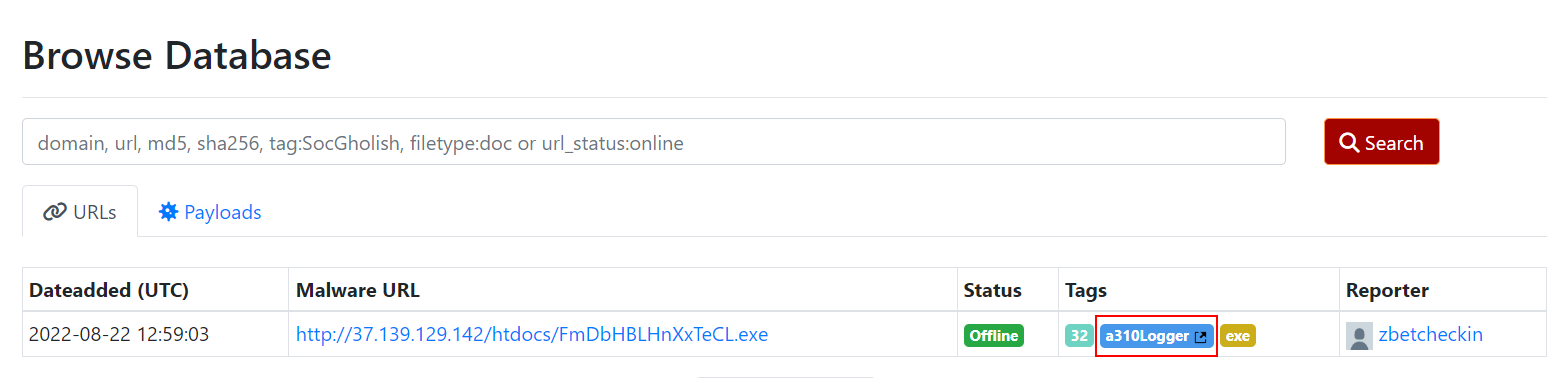
Search it on URLHaus then we will have the name of this malware right here.
Answer
a310LoggerQ4) If we wanted to create a new Sysmon configuration file that would prevent Microsoft Word from creating executable files (dropped from weaponized macros), what line would we use? (You do not need to include a Image 'name' property)
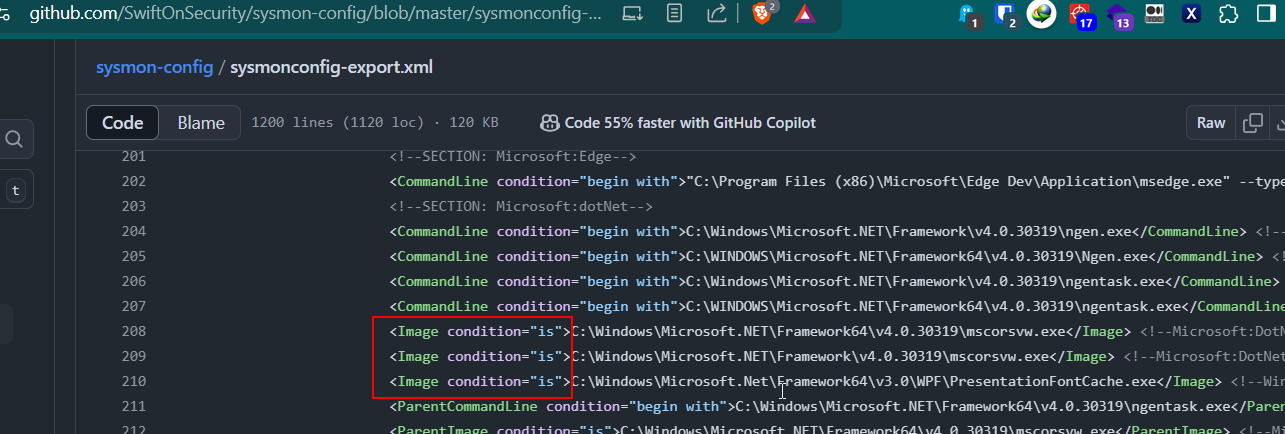
I searched for the most popular sysmon config made by Swift On Security then we can see how we can write this config but change the content inside image tag to WINWORD.EXE for Microsoft Word process.
<Image condition="is">WINWORD.EXE</Image>
Q5) View the block-downloads-config.xml in the /Downloads/Sysmon/ folder. Review the logic to block all executables within the Downloads folder. What would be the re-written line to block files being written to the OS-level Temp directory?
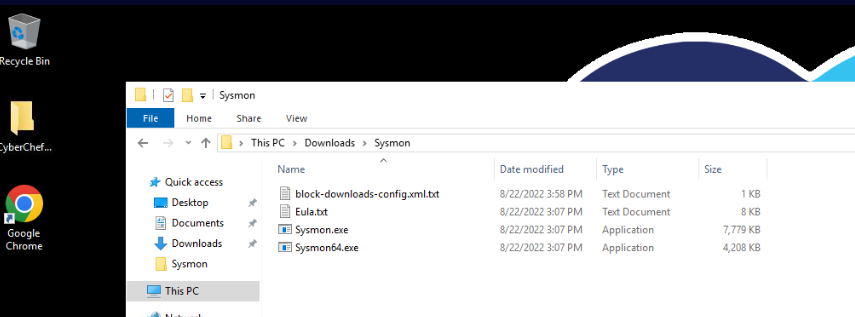
We have example sysmon config right here so lets open it
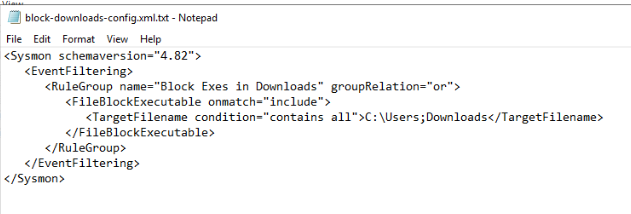
Then we can see that we can replaced content inside TargetFileName tag to C:\Windows\Temp to block all files that will be downloaded to OS-level Temp directory.
<TargetFilename condition="contains all">C:\Windows\Temp</TargetFilename>
Q6) Find the 27 event with the hash ending in B4A2. What is the TargetFilename (filename only, not path)
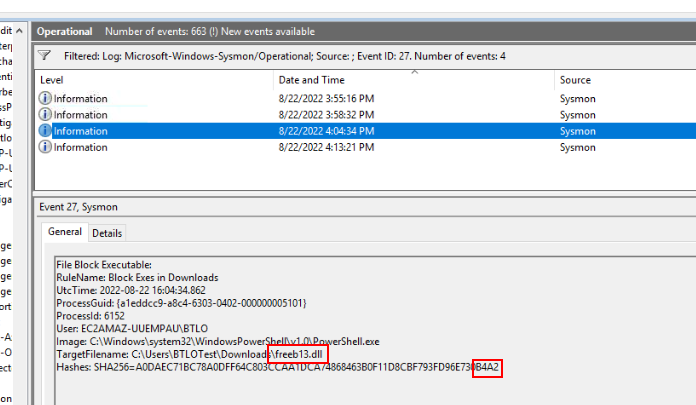
The third event is the one we are looking for with SHA256 end with B4A2
Answer
freeb13.dllQ7) Search the hash on VirusTotal and look at the Community tab. What is the source URL?
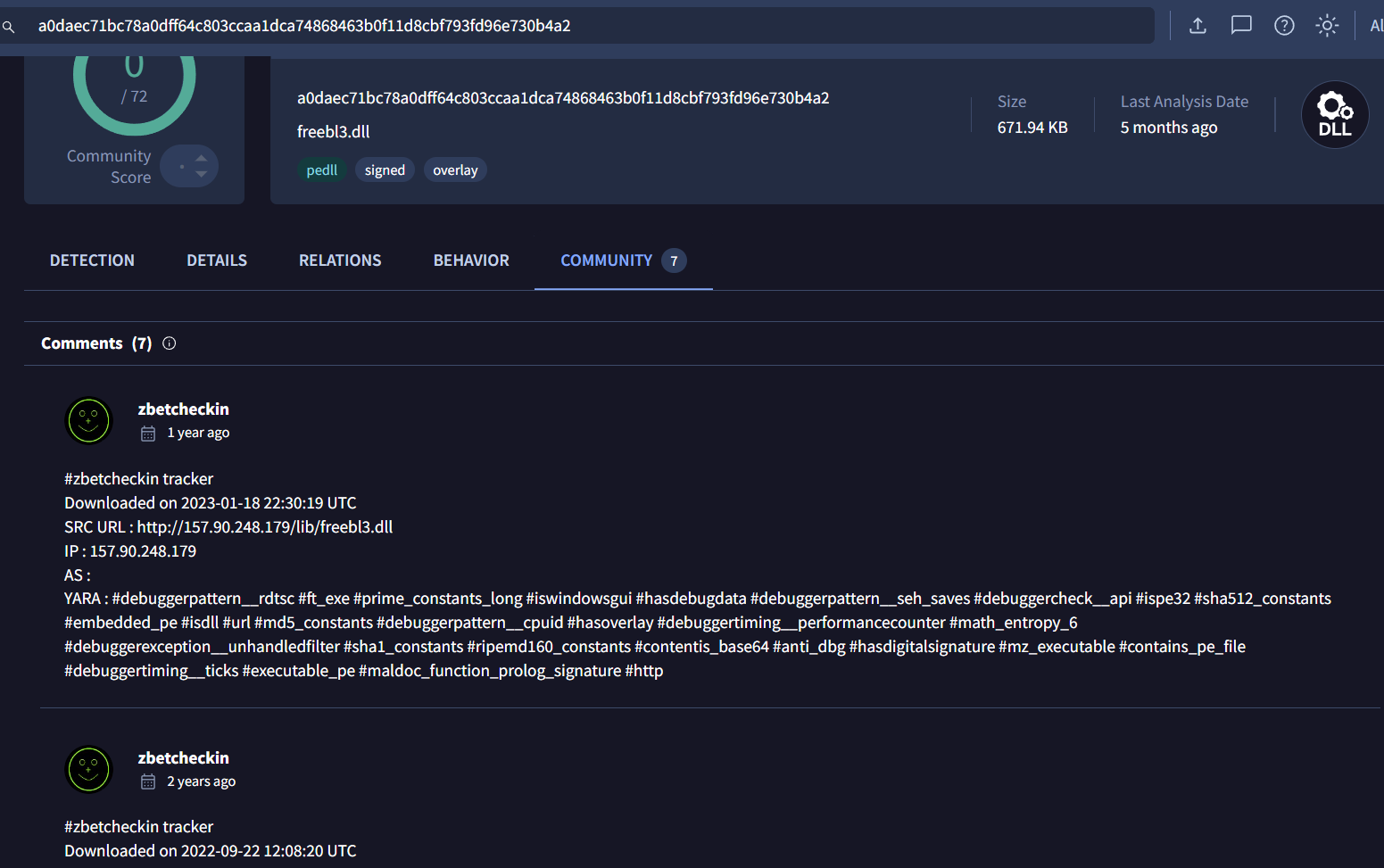
Search hash we obtained from previous question on VirusTotal which we can file source URL of this file on Community tab but there so are many URL associated with this file so which one is correct?
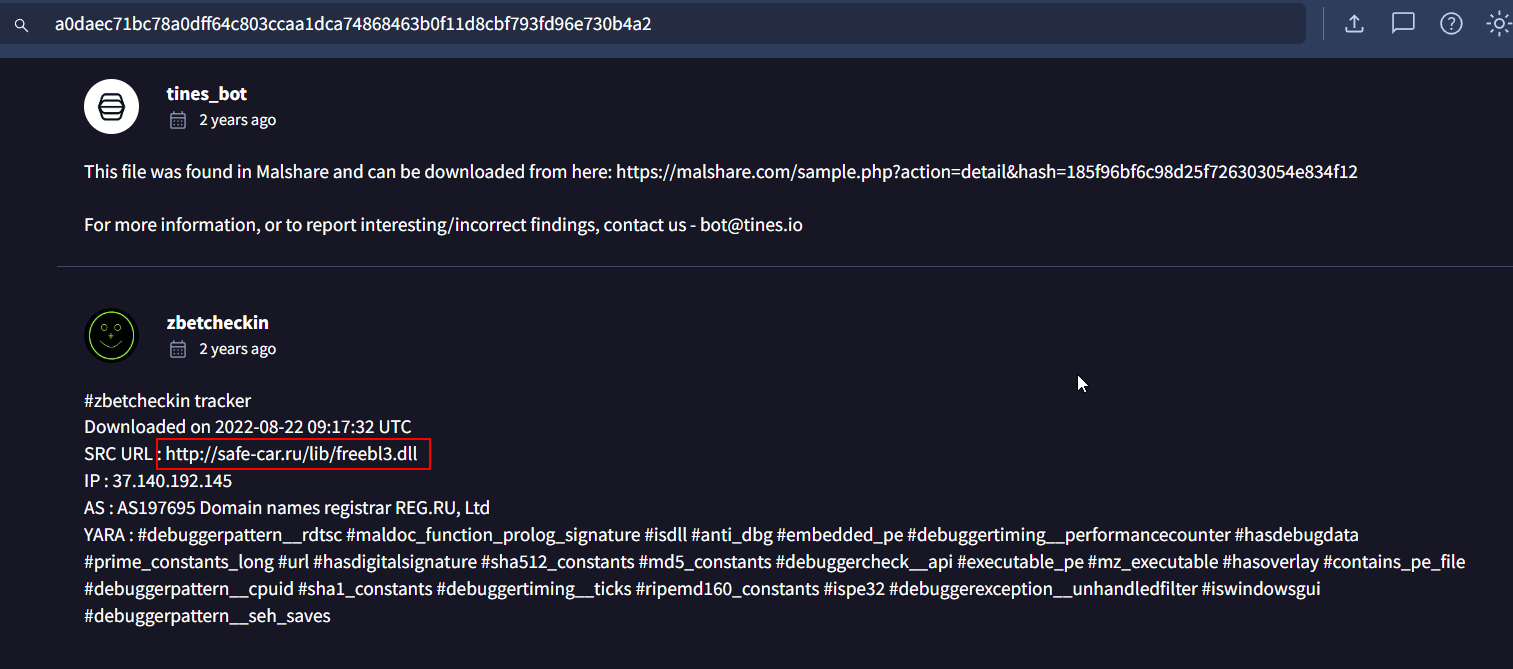
This is the one I submitted which got accepted so It has to be this one.
Answer
http://safe-car.ru/lib/freebl3.dllQ8) One limitation of Sysmon 14's new blocking feature (as of 22/08/2022) is that files downloaded from a browser show the TargetFilename as the temporary file name, randomly generated by Windows. What is the name of the property that we hope to see in the near future, giving us better visibility over the file that was actually blocked?
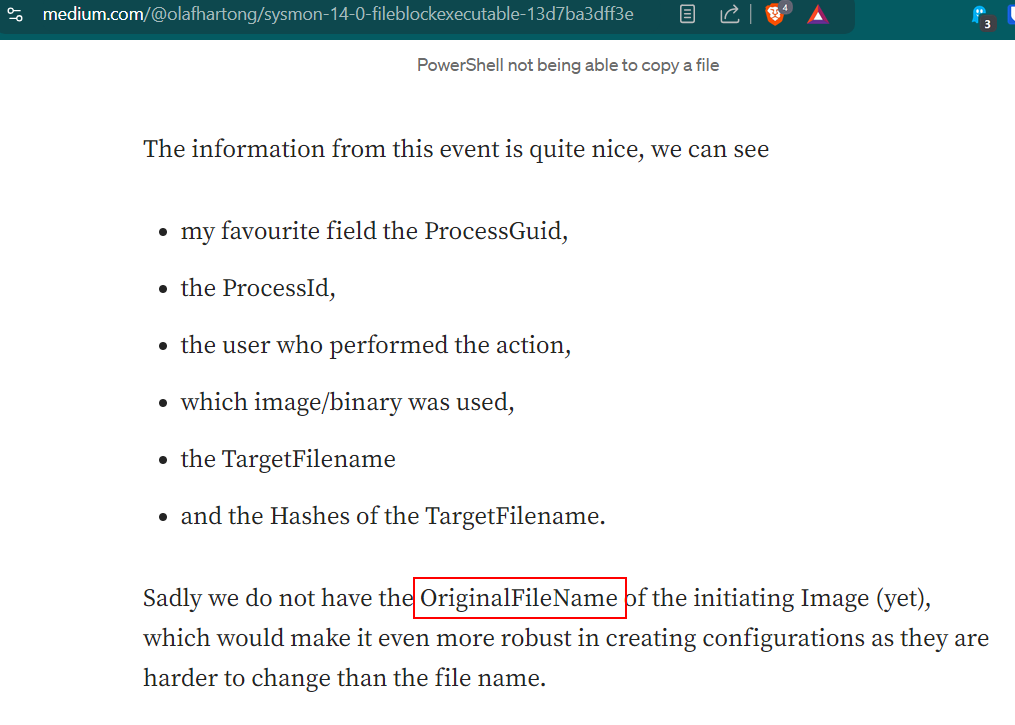 Go to Reading Material provided for this investigation then we can see that the author of this blog says what he want which is "OriginalFileName"
Answer
OriginalFileNameQ9) File Block Executable doesn't just work on .exe files - what are the other filetypes that are affected by this functionality?
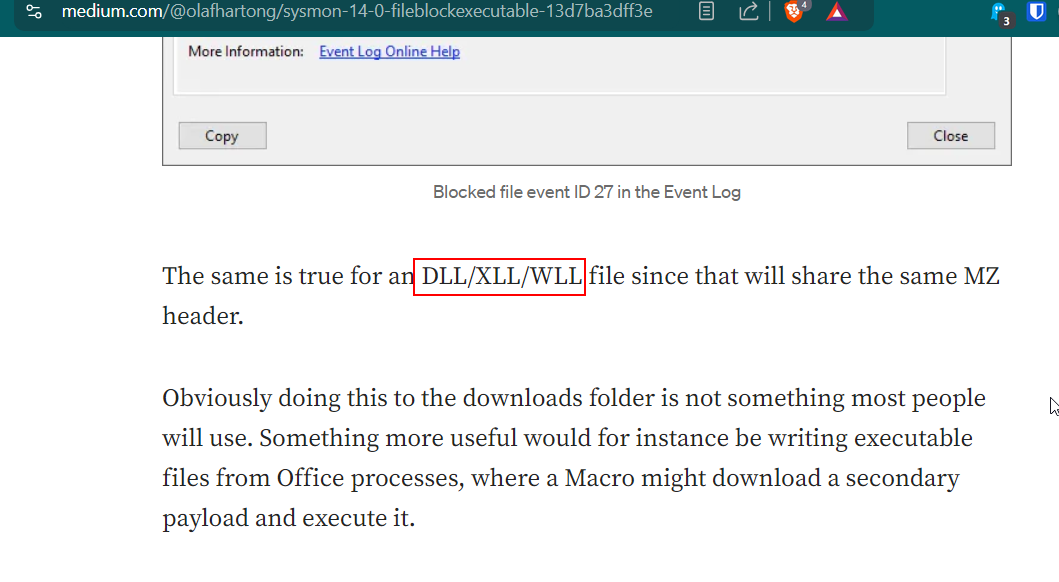
Still on the same blog, we can see that the other 3 filetypes that will be logged with Sysmon Event ID 27 are these since it shares MZ header with PE executable.
Answer
DLL, XLL, WLL https://blueteamlabs.online/achievement/share/52929/112